
Indoor RF design / browser native
See the signal before you install the hardware.
Turn a floorplan into an RF model, place real equipment, inspect coverage, and export an engineering report—without a desktop CAD stack.
- 01 Wi‑Fi, CBRS, private 5G, and UWB bands
- 02 Wall-aware browser simulation
- 03 Branded, reviewable coverage reports
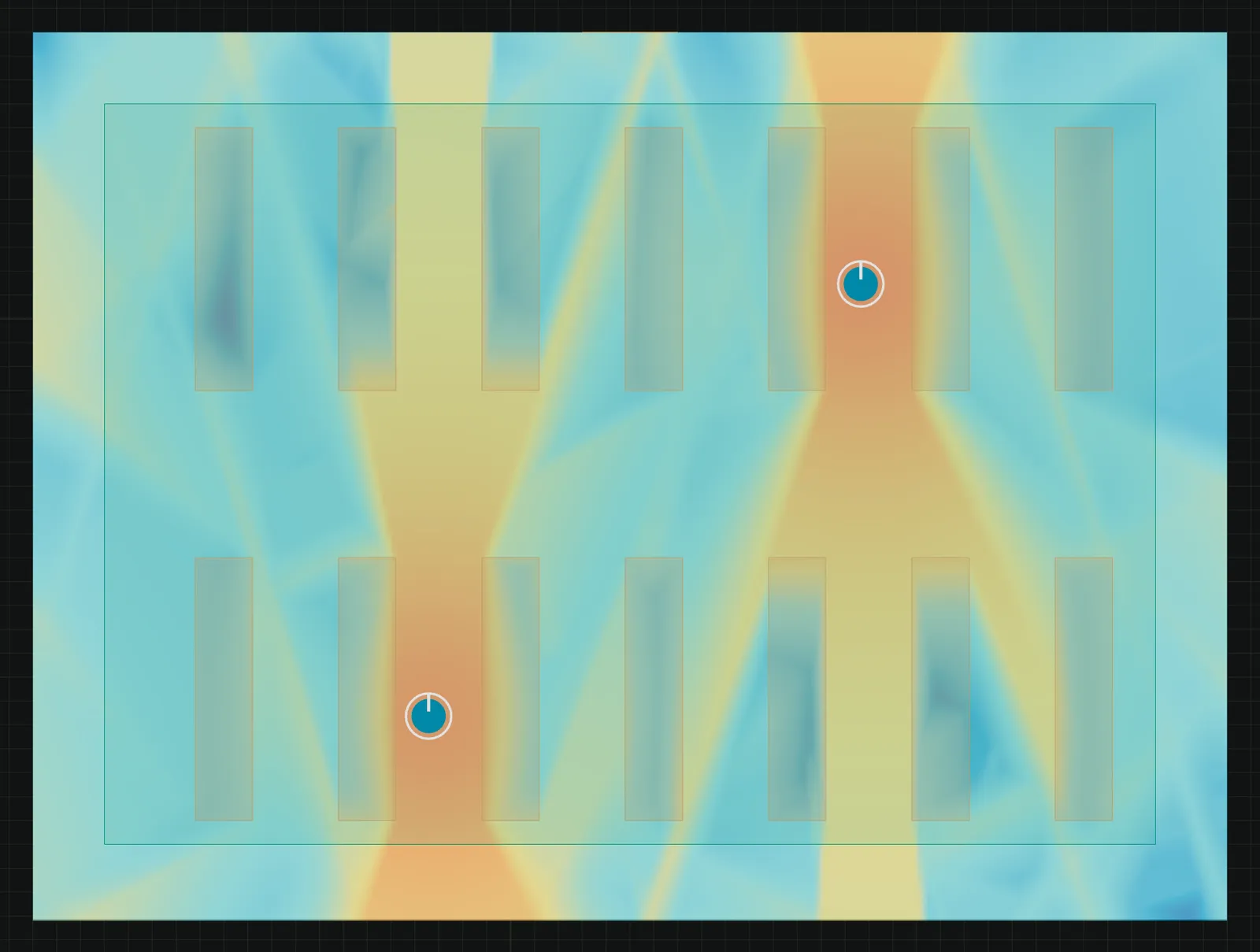
Single-AP field test
Move one access point. Watch the building respond.
The interactive model uses the same browser-based propagation engine as the workspace. Drag the AP and switch bands to compare estimated received power.
Synthetic 20 × 12 m office · 20 dBm transmit power · 3GPP indoor hotspot LOS with explicit wall losses
From drawing to decision
One workflow, from geometry to handoff.
- 01
Import the plan
Bring in a DXF, confirm scale, and identify the boundaries that affect propagation.
- 02
Place real equipment
Choose radios and antennas from a source-aware catalog, then set band and mounting details.
- 03
Read the coverage
Compare signal strength, SNR, SINR, overlap, and dead zones against explicit targets.
- 04
Deliver the report
Export maps, assumptions, equipment, findings, and recommendations in a client-ready PDF.
Works with your AI agent
Ask Claude or ChatGPT to plan the network.
SiteRF runs as an MCP server. An agent you already use can read a drawing, search for the fewest access points, plan channels and power, and assemble the diagram, cost estimate and PDF report, on the same solver as the app. You approve each connection and choose what it may change.
“Here is our warehouse drawing. 5 GHz Wi‑Fi, at least −67 dBm in the picking zone, racks are 5 m tall. What is the fewest access points that works, and what do we need to buy?”
- 01
Read the drawing
DXF, PDF or image becomes walls and a proposed scale. The agent asks you about what it cannot read, and the scale is confirmed against a real dimension.
- 02
Search the placements
SiteRF generates and solves the candidates. The agent gets competing designs, why the winner won, and what the prediction rests on.
- 03
Plan channels and power
Channel, width and power judged on SNR and SINR, with models compared side by side for the same requirement.
- 04
Hand off the package
Deployment diagram, cost estimate from your rate card, and a PDF report that labels every figure predicted, not surveyed.
On our synthetic 20,000 sq ft test warehouse the search returned 2 access points where a greedy pass found 3 and an evenly spaced layout needed 5. Predicted, not surveyed: a 2D model with assumed wall and rack losses.
Engineering references
Useful before you open a project.
Indoor RF path loss and wall attenuation
Understand the assumptions behind clear-path models and explicit material loss.
Read the guideTool / FSPLFree-space path loss calculator
Compare distance and frequency using ITU‑R P.525.
Open calculatorDocs / start hereBuild your first coverage model
Go from a calibrated drawing to a reportable result.
Read the docsFree RF tools API
RF calculators for scripts and AI agents.
Free-space path loss, link budget, and dBm conversion are open as a free JSON API: no key, one OpenAPI document, and every result carries its formula and assumptions.
No API key. GET or POST. Every result carries its formula, assumptions, and source.
Request
curl -G "https://siterfapp.com/api/v1/tools/free-space-path-loss" \
  -d distance=10 \
  -d distance_unit=m \
  -d frequency=5.5 \
  -d frequency_unit=GHz
Response (abridged)
{
  "tool": "free-space-path-loss",
  "inputs": {
    "distance": 10,
    "distance_unit": "m",
    "frequency": 5.5,
    "frequency_unit": "GHz"
  },
  "result": {
    "path_loss_db": 67.25503701176825,
    "distance_m": 10,
    "frequency_hz": 5500000000
  },
  "next_steps": [
    {
      "id": "rf_solve_coverage",
      "why": "This is free-space path loss: walls, floors and furniture are not modelled. Coverage across a whole building needs a floor plan.",
      "requires": "account_with_approval",
      "status": "available",
      "learn_more": "https://siterfapp.com/agents/#rf_solve_coverage"
    }
  ]
}
Build with the evidence visible
Make the RF plan easier to explain.
Model the site, record the assumptions, and give installers and clients a result they can review.
Start a SiteRF project